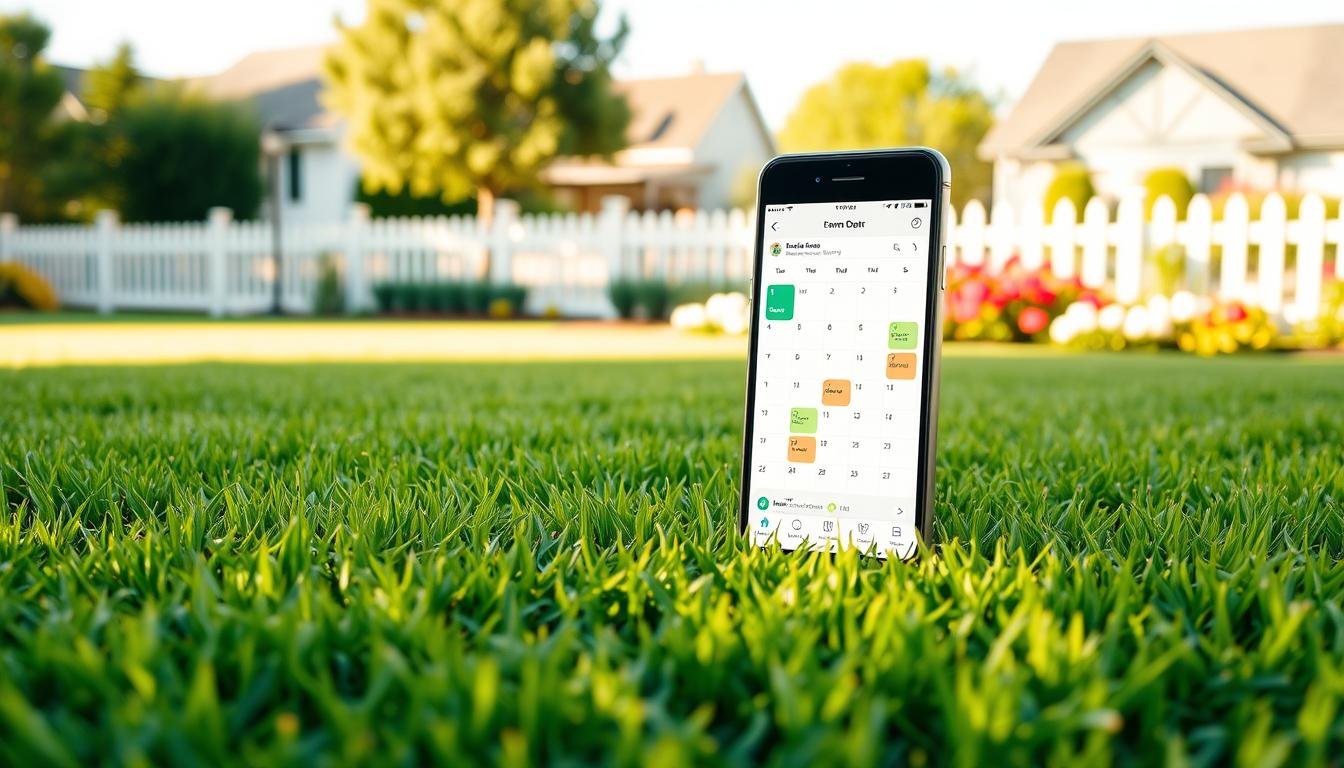
What if a few short calendar blocks could turn yard chaos into calm? That question changed how I plan mowing, watering, fertilizing, and aeration. Automated planning cuts the back-and-forth, shrinks errors, and keeps customers and family happier with timely reminders and buffers.
My approach turns yard care into visible, bite-sized tasks on a reliable calendar so seasonal routines never slip. Create recurring events by season, add short buffers between jobs, and set confirmations and alerts to avoid no-shows and overload.
This method keeps everything in one place—tasks, bookings, and time blocks—reducing decision fatigue when weather windows open. You can start in an afternoon, often with free plans or trials, and match features like reminders, daily limits, and integrations to your garden goals.
For a practical comparison of homeowner-friendly booking links and crew-focused options, check this helpful resource: lawn care scheduling software comparison.
Key Takeaways
- Short, scheduled blocks make lawn chores fit between work and family time.
- Recurring events by season prevent rushed weekends and missed steps.
- Buffers and reminders reduce errors and no-shows.
- One calendar for tasks and bookings cuts decision fatigue.
- Start fast: try free plans or trials to find the right tools.
Why automated scheduling beats “remembering” your lawn chores
When bookings flow automatically, you trade email chains for tidy, reliable yard schedules. That saves mental space and gives you predictable blocks of time for mowing, fertilizing, and irrigation.
When a client or contractor picks a slot, the event lands on both calendars instantly. This removes back-and-forth emails and stops double bookings. Automatic confirmation and email notifications cut confusion and save you errands and follow-up calls.
Save time and cut back-and-forth with scheduling apps
Scheduling apps let service crews or vendors book a slot in seconds. Rules for availability and daily limits keep your yard work realistic around work and family life.
Reduce no-shows and human errors with reminders and buffers
Enable reminders 24 hours and 1 hour before a window to improve attendance. Built-in buffers prevent overlap so cleanup or equipment checks fit between visits.
- Calendar sync prevents clashes with events like a neighbor barbecue.
- Automatic time zone handling avoids errors when emailing contractors across regions.
- One place for details means fewer calls, fewer missed tasks, and a healthier lawn.
How the simple scheduling system i use stay on track with yard care
Seasonal templates and tight time blocks make yard chores predictable and manageable. They cut decision fatigue and protect weekends while letting you react to weather windows.
A steady seasonal plan keeps each yard task timed to weather, growth, and energy levels.
Recurring tasks by season: mow, fertilize, aerate, water
Weekly mowing in peak growth, monthly edging checks, and fertilizer windows set the backbone of the plan.
Aeration shows up in spring and fall. Deep watering blocks land during heatwaves. I attach short checklists to each event—blade sharpening, trimmer line, irrigation-zone tests—so crews and homeowners start ready.

Time-blocking, daily limits, and calendar overlays
Block weekend yard sessions and weekday micro-tasks, capping daily lawn time to avoid burnout. Set daily limits in your scheduler and add automatic breaks.
Overlay calendars to spot availability between school pickups and calls. That helps find mutual calendar space quickly and keeps work in cooler morning or golden-hour slots.
Confirmations, follow-ups, and SMS for visits
Enable automated confirmations and reminders by email and SMS. Use evening and one-hour prompts to boost completion rates.
“Automated confirmations and follow-ups cut no-shows and make contractor visits smooth.”
Set minimum notice for bookings to avoid watering right before fertilizer. Capture quick outcomes in event notes—photos and short comments—to refine timing next month.
- Checklist attached: blades, fuel, irrigation test
- Availability: mornings and late afternoons preferred
- Reminders: evening prior + 1 hour before
| Task | Frequency | Best Window | Reminder |
|---|---|---|---|
| Mowing | Weekly (peak) | Early morning | Evening prior + 1 hour |
| Fertilize / Pre-emergent | Seasonal (as scheduled) | Dry day, no watering 24–48 hrs prior | Email + SMS confirmation |
| Aeration | Spring & Fall | Cool, damp morning | 3-day notice + follow-up |
| Deep watering | Heatwaves / weekly | Early morning | Evening prior |
For app-based templates and routing that match these practices, check this lawn care apps guide.
What to look for in a scheduling tool for lawn maintenance and home projects
Pick a tool that feels friendly from the first click so seasonal event types land on your calendar fast. Good options balance quick setup, useful defaults, and clear controls that match your household or crew.
Ease of use, setup time, and learning curve
Choose software with templates for mowing, fertilizing, and aeration. Low setup time means you can create seasonal events in an afternoon and avoid a long learning curve.
Features like reminders, buffers, and availability rules
Look for customizable reminders, follow-ups, and buffer settings so tasks do not overlap and crews have time to prep. Daily limits and blackout windows help protect family time and lawn recovery.
Integrations: Google Calendar, Outlook, Zoom, Slack, CRM
Confirm integrations with the calendars and tools you already use. Syncs to Google Calendar or Outlook and links to Zoom or Slack cut manual copying and speed up confirmations.
Free plan vs free trial, pricing, and team size needs
Many apps offer a free plan or a free trial. Pick based on team size—solo homeowner, household, or small lawn crew—and the features you need like routing or payments.
“Match pricing and plan tiers to your team so you pay only for useful features, not extras.”
- Start fast: prioritize a tool with templates and mobile apps.
- Test features: use a free plan or free trial to try reminders and routing.
- Scale thoughtfully: choose pricing and admin controls that match your team size.
| Factor | Why it matters | What to check |
|---|---|---|
| Ease of setup | Saves time and reduces frustration | Templates, import calendar, guided setup |
| Reminders & buffers | Fewer missed visits and smoother transitions | Custom reminders, buffer minutes, daily limits |
| Integrations | Automates confirmations and notes | Google Calendar, Outlook, Zoom, Slack, CRM |
| Pricing & plans | Matches budget to team size | Free plan vs free trial, per-seat pricing, add-ons |
Calendly: a top free online appointment scheduling software for homeowners and pros
Calendly connects up to six calendars to show honest availability and reduce double bookings. It pairs shareable booking links, templates, and embedded widgets so contractors can book windows that respect your buffers and daily limits.

Key features that help lawn care coordination
Shareable links and embedded widgets let vendors pick times that already match your rules.
Six-calendar sync keeps personal, family, and project calendars clean and visible.
Automations that cut errors
Automated reminders and follow-ups lower no-shows. Routing sends requests to the right crew slot so fewer calls are needed.
Plans, pricing, and integrations
Calendly offers free plan options for single users and paid tiers for groups. Pricing in the U.S. runs Free; Standard $10/seat/month; Teams $16/seat/month; Enterprise starts at $15,000/year.
Integrations: 100+ connections to Google and Microsoft suites, Zoom, and more, keeping confirmations and changes automatic via email and calendar sync.
- Best use: coordinate contractor visits and seasonal service windows.
- Tip: start with the Free plan, then upgrade if your household or team needs routing and advanced workflows.
YouCanBookMe (YCBM): customizable booking pages to automate lawn service visits
YouCanBookMe builds branded booking pages that feel personal for lawn consultations and seasonal service windows. It syncs with calendars to avoid double bookings and automates confirmations, reminders, and follow-ups so visits run smoothly.
What it does well
YouCanBookMe includes one-on-one, group, and round‑robin options so multiple crew leads or household members can share slots without conflicts. It adds buffers, daily limits, and minimum notice to protect prep time and recovery days.
Payments, promo codes, and custom forms let you collect property size, grass type, and irrigation notes before arrival. Syncing works with Google, Microsoft, and iCloud calendars and broader integrations via Zapier.
Pros and cons
- Pros: branded pages, automated confirmations, robust reminders, round‑robin, and easy payments.
- Cons: not ideal for large online events (max 50 people) and lacks some enterprise admin features.
- Try it: start on the free option and test paid features with the two‑week free trial before choosing a month-to-month plan.
“YCBM balances usability and powerful integrations, making it a strong scheduler for homeowners and small crews.”
Motion: AI that schedules tasks and lawn care to-dos automatically
Motion builds a personalized daily plan so yard chores fit into real life without guesswork. It prioritizes tasks, tracks deadlines, and shifts plans as your day changes.
Motion uses AI to turn scattered garden to-dos into a clear, walk-out-the-door plan.

Daily optimized plan, deadline tracking, and booking pages
See a daily optimized plan that places short mowing or irrigation checks around meetings and family time.
Enter seasonal deadlines—pre-emergent, aeration—and the AI slots tasks before those due dates. Add notes for equipment prep so each block starts ready.
Best for task-first scheduling rather than client-facing booking
Motion syncs with major calendars so yard tasks do not clash with work events. It also offers booking pages for occasional service visits without heavy branding.
- Auto-schedule chores: mow, weed, and irrigation checks around your day.
- Deadline tracking: AI places tasks before seasonal milestones.
- Calendar sync: avoids conflicts with personal or work events.
- Adaptive planner: the scheduler reprioritizes when your day changes.
Try Motion on a 7‑day free trial to see faster planning and fewer forgotten chores, then pick a monthly plan if it fits your routine.
“Motion moves tasks into the gaps so small yard wins add up to healthier lawns.”
Clockwise: protect focus time while planning yard work around work hours
Clockwise carves out quiet blocks so you can plan yard chores without interruptions. It moves meetings and protects daylight windows so outdoor tasks feel predictable and calm.
Automatic focus blocks create protected minutes for lawn planning and prep. Meeting optimization nudges non-urgent calls away from peak daylight.
Analytics show when your week best supports outdoor work. Check the reports to pick reliable mornings for mowing and watering.
- Sync with Google or Outlook so focus time appears across every calendar.
- Start on the free plan to test focus blocks; try the 30‑day free trial of Teams for advanced controls.
- Keep a recurring Friday focus block to prep weekend tasks and attach brief checklists.
“Reduce context switching so you move from desk work to yard work with a clear, calm plan.”
| Feature | Benefit | Best for |
|---|---|---|
| Focus blocks | Protected time for planning and setup | Homeowners & small teams |
| Meeting optimization | Shift non-urgent meetings away from daylight | Busy weekdays with yard windows |
| Analytics | Insights on best days and times | Weekly planning and management |
Reclaim.ai: smart habit and task scheduling for recurring yard routines
Reclaim.ai quietly fills the gaps in your week, turning lawn habits into protected minutes that actually happen. It uses AI to place watering, pruning, and fertilizing so routines run without constant decision-making.
Reclaim’s AI scheduler turns chores into repeatable habits. It slots short tasks into free calendar windows and adjusts when meetings move.
Connect with Google Workspace and keep everything in one calendar so tasks adapt as your day changes. The app provides shareable links for helpers or contractors and tracks productivity stats to show habit completion rates.
- Protected habits: watering, pruning, fertilizing land automatically in cool morning or evening windows.
- Shareable links: coordinate quick yard check-ins without extra calls.
- Analytics: productivity stats help refine timing and task management.
Reclaim offers a free scheduler and three paid plans starting at $8/seat/month, with a 14‑day free trial. Try the free plan first, then upgrade if you want more controls and capacity.
Homebase: employee scheduling software when you have a lawn crew
Build shift templates and approve time-off so your crew knows where to be and when. Mobile clock-in, shift swaps, and payroll integrations shrink admin work and keep hours accurate.
Start by creating role-based templates—mowing lead, edging crew, cleanup—to speed weekly planning.
- Shift templates: reuse crew assignments to fill schedules faster.
- Availability & time-off: approve requests, prevent conflicts, and protect coverage.
- Mobile time clock: employees clock in/out; export hours to payroll via integrations.
- Shift swaps: let employees trade shifts inside the app to reduce texting and calls.
Homebase offers a free plan for one location and up to 20 employees. Paid tiers start around $24.95/month per location, and a 14‑day trial lets you test All‑in‑One features. Use color-coded schedules and role tags to match equipment to jobs and send reminders before early shifts to improve on-time starts.
| Feature | Benefit | Best for |
|---|---|---|
| Shift templates | Fast weekly schedules | Small lawn teams |
| Time clock | Accurate hours & payroll | Hourly employees |
| Shift swaps | Fewer coverage gaps | Flexible crews |
Chili Piper: scheduling software built for sales teams and service intake
When leads arrive through your website, booking an expert in seconds can lift conversion during peak seasons. Chili Piper routes and qualifies requests in real time so high‑value inquiries land with the right person immediately.
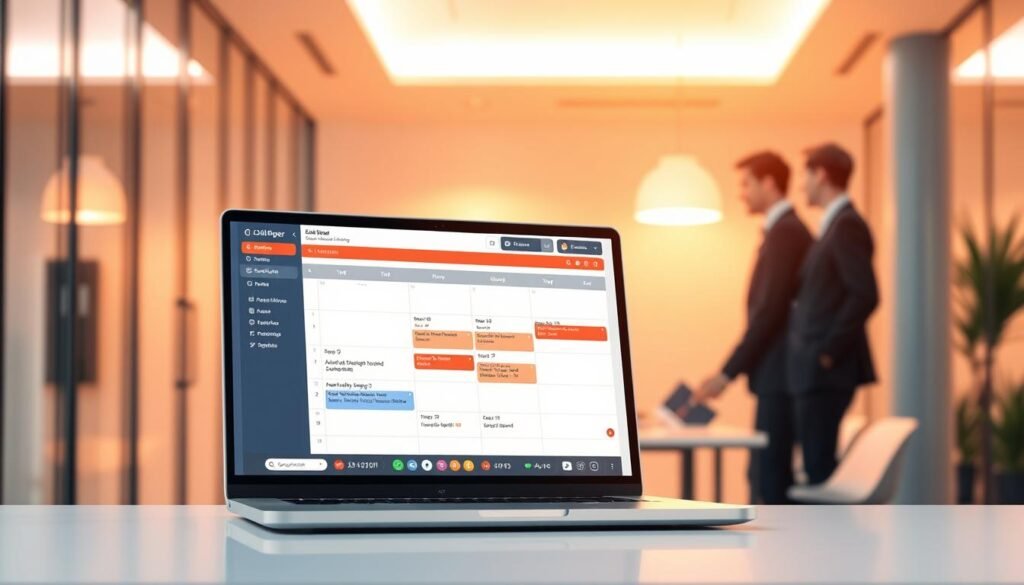
How lead qualification, routing, and instant booking work
Chili Piper converts form fills into calendar events without delay. The platform evaluates lead info, then routes one‑on‑one, group, or round‑robin bookings to available reps or crew leads.
Automated notifications keep prospects informed and reduce missed connections. This matters when fast response time directly affects conversion during spring and fall booking windows.
ChiliCal option, pricing, and CRM integrations
ChiliCal offers core scheduling for $15 per user per month if you need a light scheduler without the full platform. No free plan or trial exists; platform pricing varies with CRM integrations and enterprise features.
- Use Chili Piper if intake behaves like a sales funnel and quick contact matters.
- Route leads automatically so the right team handles urgent service requests.
- Balance consultations with round‑robin during busy seasons.
- Integrate with your CRM to track pipeline and follow-ups.
| Best for | Key feature | Notes |
|---|---|---|
| Sales‑driven teams | Real‑time routing | Over 60 integrations focused on sales and CRM |
| Small lawn crews | Round‑robin booking | Evenly spreads consultations during rush |
| Solo homeowners | ChiliCal ($15/user/month) | May be costlier than simpler apps; no free trial |
“Instant booking from web forms closes the gap between interest and action, especially when response speed affects conversion.”
Compare scheduling apps and tools by features, integrations, and team size
Pick software that matches who schedules work and how you track time. Match features and pricing to team size so you don’t pay for extras you won’t use.
Not every app needs every feature. Solo homeowners often want easy booking and reminders; Calendly or YouCanBookMe fit well. If you want AI to plan tasks and time, consider Motion or Reclaim.ai.
Who each option fits best
- Solo homeowner: Calendly or YCBM for quick booking and clear reminders.
- Household: Six-calendar sync and templates to coordinate shared chores in one place.
- Small lawn business: Homebase for shift coverage, time tracking, and payroll integrations.
- Sales teams: Chili Piper for instant routing and fast intake during peak seasons.
Match features to needs: buffers and daily limits for balance, routing for complex intake, habit scheduling for consistent watering. Check integrations so your primary calendar and email connect seamlessly.
“Aim for one place to manage calendars, tasks, and schedules to cut manual updates and save time.”
| Use case | Top app | Key features |
|---|---|---|
| Solo homeowner | Calendly / YCBM | Booking links, reminders, six-calendar sync |
| Household | Calendly / Reclaim.ai | Templates, calendar sync, habit blocks |
| Small lawn business | Homebase | Shift templates, time clock, payroll |
| Sales intake | Chili Piper | Real-time routing, CRM integrations |
Free plan or free trial: the best way to get started today
Start with a no-cost option to test calendars, reminders, and seasonal templates without pressure. Free plans and short trials let you prove value before you commit to monthly pricing or team seats.
Start by testing a free tier so you can map real yard routines before spending a dollar.
Who offers free plans and what’s included?
Calendly, Clockwise, Reclaim.ai, Homebase, and YouCanBookMe all offer free tiers that cover basic booking, calendar sync, and reminders.
Motion and some paid platforms provide short free trials—Motion gives a 7‑day free trial for AI planning. Homebase and Reclaim include 14‑day trials for fuller features.
When should you upgrade for routing, payments, or team needs?
Upgrade when you need routing across crews, payment collection, or admin controls for larger team size.
- Use free plans to validate workflows and calendar sync.
- Use trials to test routing, payments, and automations before you buy.
- Note: Chili Piper has no free plan or trial; ChiliCal starts at $15/user/month.
Tip: use the trial window to set seasonal templates, buffers, and reminders so you can get started with confidence.
Step-by-step: setting up your lawn care scheduler in one afternoon
You can build a working lawn plan with a few focused clicks and clear rules. Finish a basic setup in an afternoon and watch confirmations, reminders, and templates cut chores into reliable time blocks.
Create seasonal event types and task lists
Make event types for mowing, fertilizing, aeration, and watering. Add a short checklist to each so every slot opens with clear tasks.
Map frequency and durations, then save them as recurring items in your calendar so habits stick.
Apply buffers, daily limits, and minimum notice
Place buffers before and after heavy work for setup and cleanup. Set daily limits to avoid packing too much into one day.
Add minimum notice rules so contractor visits don’t clash with last-minute plans.
Enable email/SMS reminders and follow-ups
Turn on an email reminder the evening before and one hour prior. Add automated follow-ups to capture notes and photos after each visit.
- Availability rules: favor cooler mornings and late afternoons.
- Contractor event: separate type with confirmations and longer buffers.
- Test week: schedule seven days of typical tasks, then tweak durations and alerts.
Integrations that save hours each month
Connect calendars, video, email, CRM, and payroll so bookings flow into actual work without extra admin. Good integrations turn a website link into a logged visit, a timesheet entry, and an automated follow-up in minutes.
Start by syncing your primary calendar with your booking app so yard visits and personal blocks never clash. Calendly offers 100+ integrations across Google and Microsoft suites and can embed booking links in websites and emails. YouCanBookMe links with Google, Microsoft, and iCloud calendars and extends to 7,000+ apps via Zapier.

Calendar, video, email, CRM, and payroll connections
Link Google or Outlook so bookings appear on every device. Add video tools for remote consultations before an on-site visit. Connect a CRM to keep service notes and property history together. For crews, tie Homebase to payroll so scheduled shifts feed timesheets automatically.
Zapier-powered automations for tasks and notifications
Use Zapier to create tasks when a booking is made, push notifications to phones, or log notes in a garden journal app. Embed booking links in your email signature to capture seasonal requests fast. Review integrations monthly to trim unused connections and keep the setup lean.
Common scheduling mistakes to avoid with lawn maintenance
Missed time zones or overlapping bookings turn a tidy lawn plan into a weekend scramble. These errors cost minutes that add up to lost afternoons and frustrated crews.
Use confirmations, reminders, and buffers to stop small slips from becoming big problems. Automated alerts and clear rules make the week predictable and calm.
Ignoring time zones, double bookings, and lack of confirmation
Always enable time zone handling for remote contractors so visits land at the right local time.
Sync every calendar you rely on and use overlays before you accept a slot to avoid double bookings.
Require confirmations and send an email reminder the evening before and an hour prior to reduce no-shows.
Overlooking availability rules, team schedules, and shift conflicts
Set availability rules and daily limits so you don’t stack heavy tasks back to back.
For crews, check employee calendars, track shift swaps, and let approved swaps keep coverage steady.
Add short buffers between tasks, enforce minimum notice for sensitive work (like fertilizer), and keep notes on real durations to refine future schedules.
- Tip: Review recurring events each season to match daylight and growth patterns.
- Tip: Use employee-aware apps or tools to flag conflicts before they hit the field.
- Tip: Track actual time per task and update event lengths to protect your schedule.
“Small rules—timezone handling, confirmations, and buffers—cut most real-world errors.”
Results you can expect now: time saved, fewer errors, better-looking yards
A clearer calendar turns weekend chaos into predictable, peaceful yard care sessions. Expect steady reminders and easy-to-follow schedules that make chores happen without mental juggling.

What you get quickly: a safer margin around visits, fewer double bookings, and less rushed work. Time blocks and buffers reduce mistakes like overlapping jobs or wrong time zones.
Commercial snapshot: try Calendly Free to begin. YouCanBookMe offers a free option plus a two‑week free trial. Clockwise and Reclaim both have free plans; Reclaim adds a 14‑day free trial. Homebase provides a free plan and a 14‑day trial for All‑in‑One. Motion gives a 7‑day free trial. ChiliCal starts at $15/user/month and has no free plan.
- Quick wins: clearer calendar, reliable reminders, steady cadence of lawn tasks.
- Try first: Calendly Free, YCBM free option, Clockwise free plan, Reclaim free, Homebase free.
- Try trials: Motion 7‑day, YCBM two‑week, Reclaim 14‑day, Clockwise 30‑day Teams, Homebase 14‑day.
- Tip: match plan pricing month to month and reassess after a month to refine durations and buffers.
“Keep your calendar synced and reminders set; small automations deliver big time savings.”
Conclusion
Give your weekends back by turning yard chores into predictable calendar blocks that work around life. Automated scheduling cuts friction, reduces errors, and keeps tasks timed to weather and growth.
Pick the right mix of apps and software for your needs. Booking links help contractors; AI planners place chores into free minutes; crew tools handle shifts and payroll.
Set buffers, daily limits, and reminders so work finishes cleanly and your time feels protected. Start small with a free plan or trial and build seasonal templates that repeat.
Good management comes from consistent habits and a clear schedule. With steady scheduling, better tools, and a synced calendar, your yard improves and weekends feel lighter.